

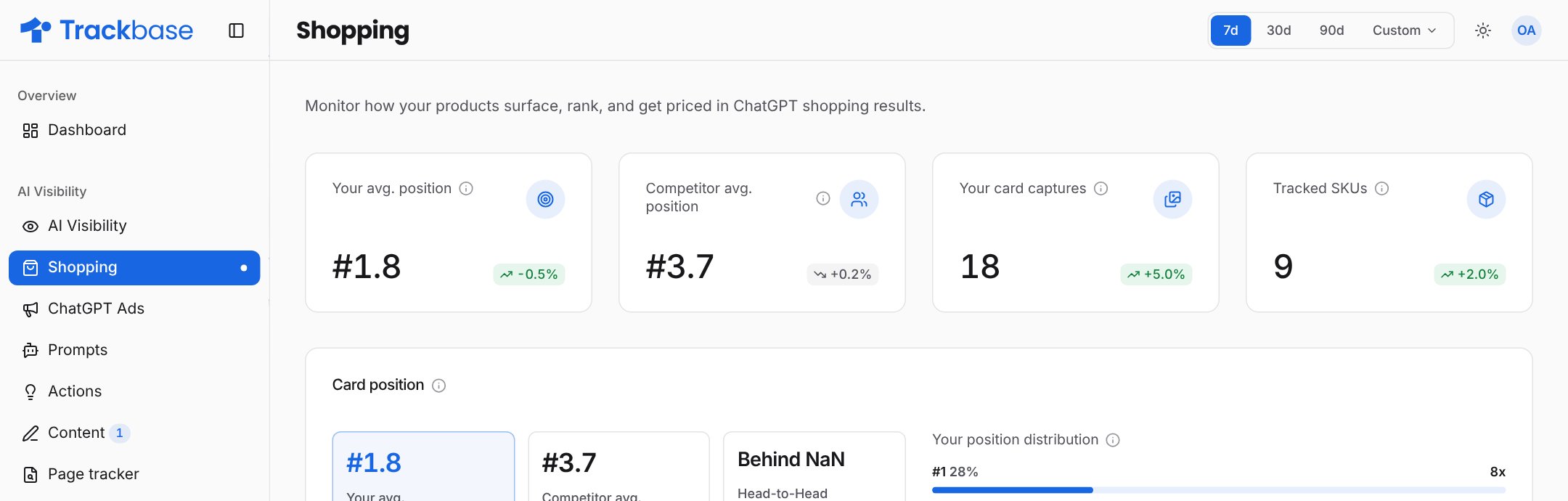
How it works
Trackbase runs your prompts on ChatGPT every day. When an answer contains product cards, Trackbase stores each card: the product, its position, the merchants, the price, the label and the page it links to. Each prompt has a Shopping switch on the Prompts page. Turn it on for prompts where a product answer makes sense, such as “best running shoes for flat feet”.Shopping depends on your plan. If the page shows a preview with a lock, it is not part of your current plan.
What the page shows
Key numbers
Card position
Your average position next to the competitor average, a trend line, and a distribution that shows how often your cards appear in position 1, 2 or 3.Tracked products
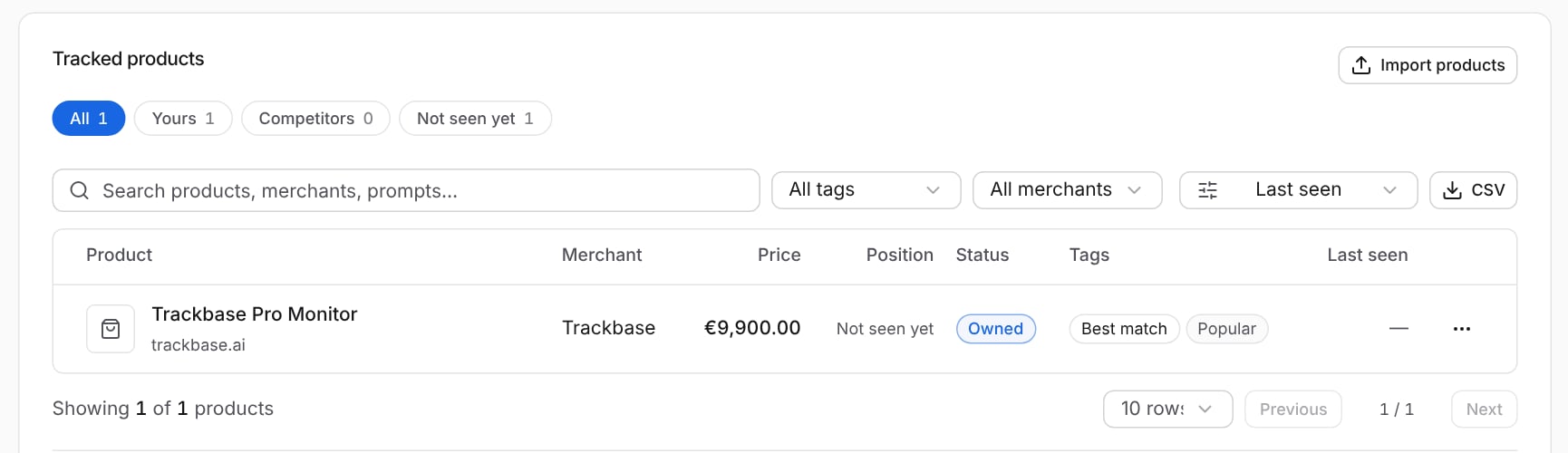
- Filter on Yours, Competitors or Not seen yet. The last group holds products from your catalog that ChatGPT has not shown yet.
- Search on product, merchant or prompt, and filter on tag or merchant.
- Export the table as CSV.
- Under the table you can browse the product cards as they were captured, with the prompt they came from.
Merchants and pricing
- Merchant share of voice: which merchants are shown most often.
- Price positioning: your average price, the category average and the cheapest competitor.
Recent changes
Changes Trackbase noticed, such as a price that went up or down.Fan-out queries
The searches ChatGPT ran for your shopping prompts. See fan-out queries.Add your product catalog
Trackbase discovers products by itself when ChatGPT shows them. If you add your own catalog, Trackbase also knows which of your products are not shown yet. Click Import products and choose a source:
You can have one website source and one Merchant Center source. Each source shows its status and when it last synced, and you can sync it again or turn it off.
Your plan sets how many catalog products you can track.
What to look for
- Products that are never shown. Check the Not seen yet filter. Look at which products ChatGPT shows instead and how their pages describe the product.
- A competitor that is always first. Compare price, product title and the merchant it links to.
- A price that is out of line. Price positioning shows whether you are above the category average.