

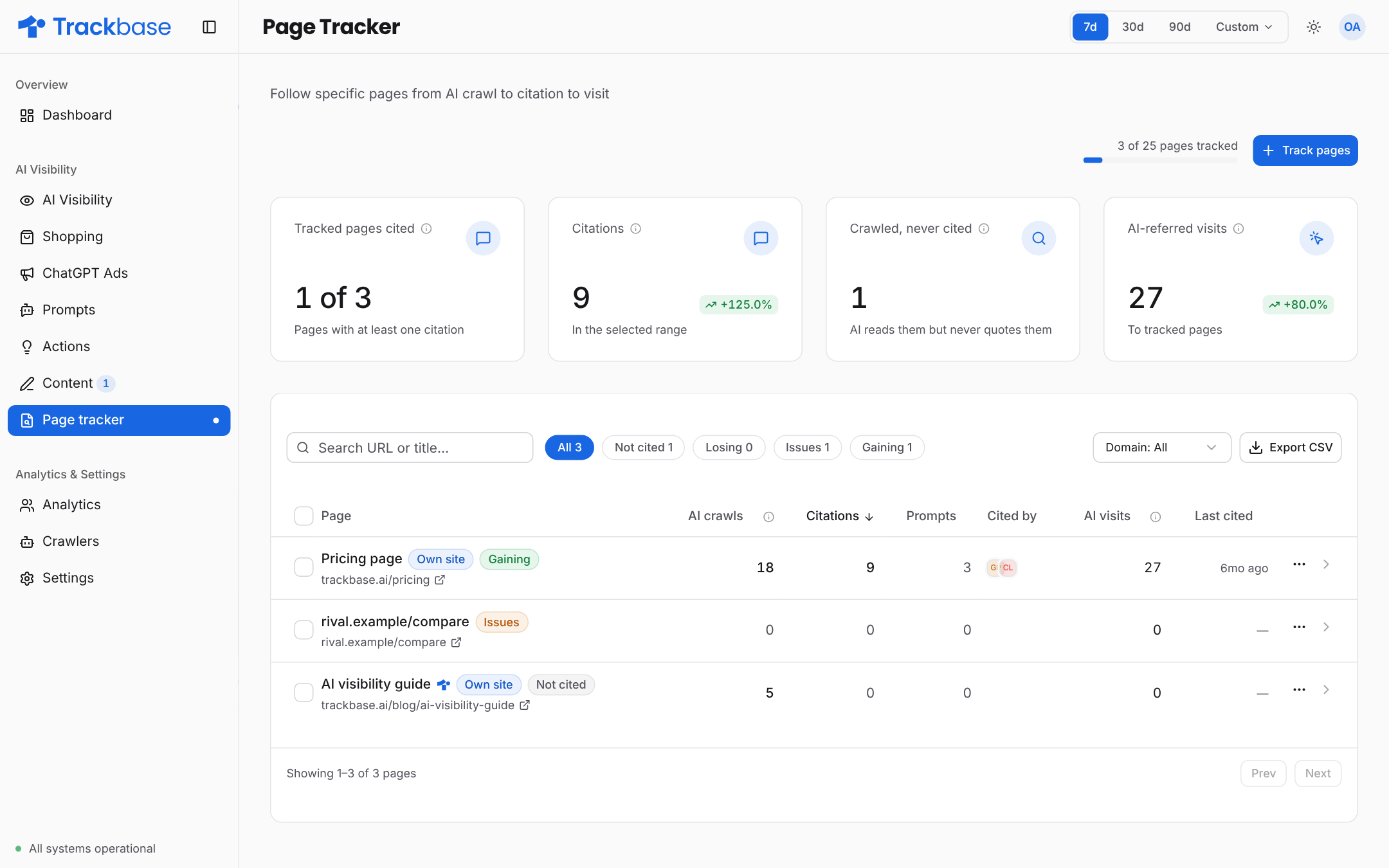
Three signals per page
The signals form a funnel. A page cannot be cited if it is not crawled, and it cannot bring AI visitors if it is not cited. Reading them in that order tells you where a page gets stuck.
Crawls and clicks need crawler analytics and visitor analytics to be connected. Without them the Page tracker can only show citations.
Add pages
Add up to 50 URLs at a time. Trackbase also suggests pages to track: pages on your domain that are already cited or crawled and that you do not track yet. Trackbase treats spelling variants of a URL as one page.http and https, with or without www, a trailing slash, and tracking parameters such as utm_source all lead to the same tracked page.
Your plan sets how many pages you can track.
Flags
A page can carry one or more flags. Each compares the selected period with the period before it.Automatic status check
Trackbase checks every tracked page itself, when you add it and once a day after that. This catches a dead page even when no AI crawler happened to visit it. If the page returns an error or cannot be reached, it gets the Issues flag and the explanation says what the check found.The page detail
Open a page to see:- the prompts whose answers cite it, with how often
- which pages are cited instead in answers that do not cite yours
- citations per model
- AI crawler visits per crawler, for the last 30 days
- which brands are named in the answers that cite the page
Use cases
- Prove a new article. Track it on the day you publish and watch crawls, then citations, then clicks appear.
- Guard your key pages. A Losing or Issues flag on a landing page is an early warning.
- Check a migration. Track the most cited URLs before you move them, and watch whether crawls and citations continue.
- Watch a competitor page. Track the page that keeps being cited for a prompt you want to win.