

Which prompts to choose
A good set mixes three kinds of questions:- Questions without your brand name, such as “best accounting software for freelancers”. They show whether AI recommends you unprompted, and they should be most of your set.
- Comparisons, such as “[your brand] vs [competitor]”.
- Questions about your brand, such as “is [your brand] reliable?”.
Add prompts from suggestions
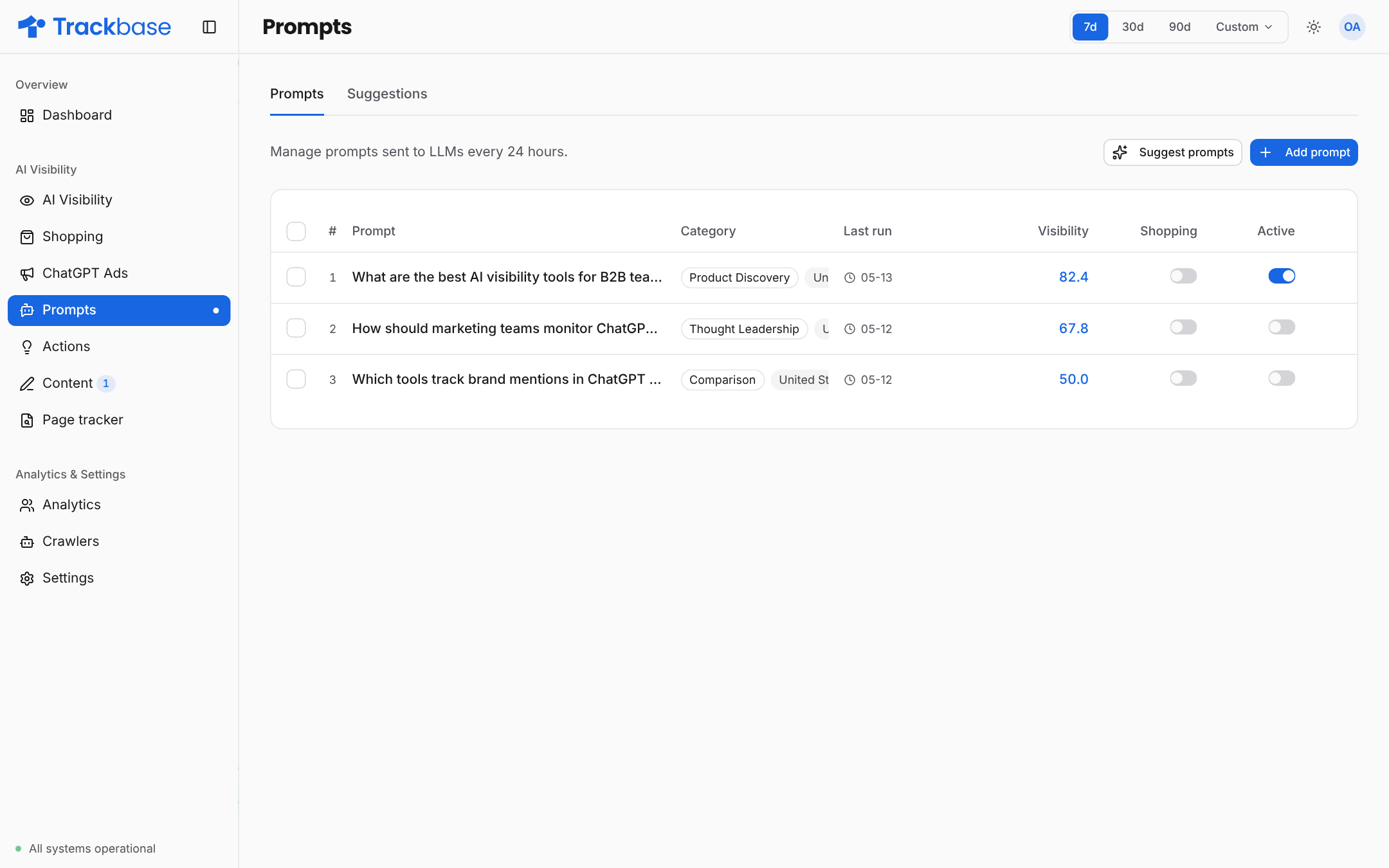
On the Prompts page, open the Suggestions tab or click Suggest prompts. Trackbase can generate prompts from three sources:
Search Console and People Also Ask depend on your plan.
Choose a Prompt language, or leave it on automatic to follow your default region. Trackbase proposes up to 20 prompts at a time, or fewer when you have less room left in your plan. Select the ones you want and add them.
Add prompts manually
1
Open the add dialog
On the Prompts page, click Add prompt.
2
Enter your prompts
Type or paste your prompts, one per line. A prompt can be up to 1,000 characters.
3
Pick a category
Choose one of: Product Discovery, Comparison, Alternatives, Thought Leadership or Enterprise. The category applies to every line you entered.
4
Optionally set a region
A region on a prompt overrides your default region. Use it to measure the same question in another market.
Limits and roles
- Your plan sets the maximum number of prompts.
- Only admins can add and delete prompts.